Traduire le nom d'un objet
L'ensemble des objets que vous créez dans DigDash — modèles de données, flux, catégories, styles, variables, dimensions, mesures, hiérarchies, chemins de navigation, objectifs, zones d'objectif, descriptions, formats, notifications, phrases, icônes, pages de tableau de bord... — peuvent être traduits dans différentes langues.
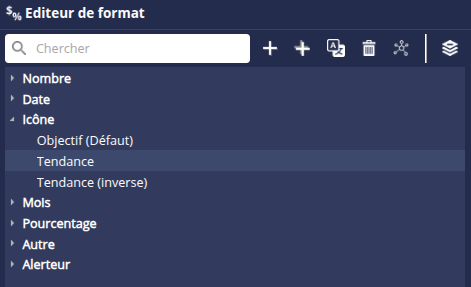
Les traductions sont généralement ajoutées directement au niveau de des propriétés de l'élément en cliquant sur le bouton d'Edition multi-langue  .
.
Dans certains cas, ce bouton est disponible dans une barre d'outils (dans ce cas, il faudra d'abord sélectionner l'objet).
Pour traduire un objet :
Cliquez sur le bouton d'Edition multi-langue
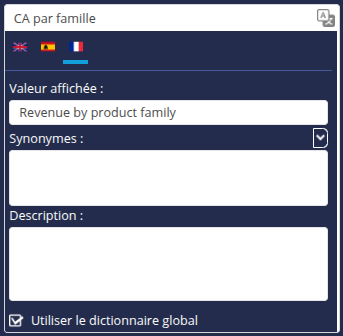
.Dans la boite qui s'affiche, sélectionnez l'onglet de la langue à traduire.
Entrez la traduction dans le champ Valeur affichée.
Dans le champ Synonymes, vous pouvez entrer un synonyme de la traduction. Les synonymes sont utilisés notamment dans le cas d'une requête en langage naturel ou dans DigDash Agent. Consultez la page Utilisation des synonymes pour plus de détails.
Si l'objet dispose d'une description, elle peut être traduite dans le champ Description.
Cochez la case Utiliser le dictionnaire global si vous souhaitez que la traduction de l'élément s'applique à l'ensemble des éléments identiques. La traduction sera ajoutée au dictionnaire et sera donc éditable depuis le gestionnaire de traductions. Consultez la page Gestionnaire des traductions pour plus de détails.
Si la case n'est pas cochée, la traduction sera personnelle à l'objet.
.
- Cliquez sur OK.
- Afin de mettre à jour les traductions des éléments contenus dans un flux (dimension, mesure, hiérrachie, etc), synchronisez le flux : cliquez-droit sur le flux puis, dans le menu conetxtuel, cliquez droit sur Synchroniser ou Synchroniser pour les utilisateurs.

- Rafraîchissez le tableau de bord.